 Clock by CoreBots.guru
Track time in Discord.
Effortlessly.
Clock-in, clock-out, overtime alerts, admin tools — everything your team needs in one clean panel.

 Clock by CoreBots.guru
Clock-in, clock-out, overtime alerts, admin tools — everything your team needs in one clean panel.
Clock in, clock out, see who’s working, check your total time — all from a single persistent message. Roles are assigned automatically when you clock in, and removed when you clock out. No commands to remember.
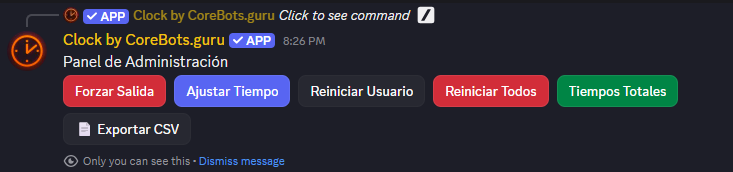
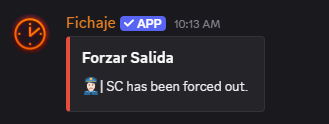
Force clock-outs, adjust time records, reset users, view all totals, export CSV. Everything an admin needs without leaving Discord. All behind a role-gated admin panel — nothing leaks to regular members.
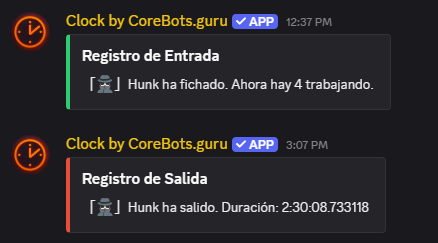
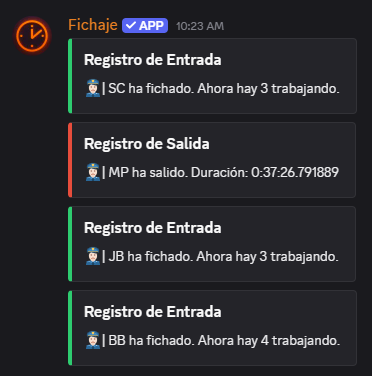
Every clock-in and clock-out posts a clean notification to your update channel. Your team always knows who’s working and for how long. Structured, readable, never noisy.
One-click clock in/out with automatic role assignment. See active workers and individual totals instantly. No spreadsheets, no manual logs.
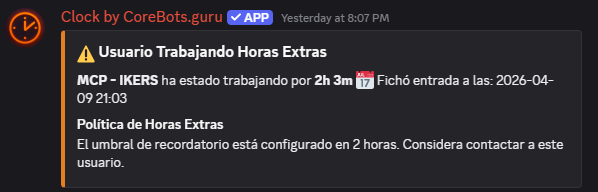
Set hour thresholds from 1 to 24 hours. The bot DMs the user and notifies admins. Checks every five minutes, alerts once per hour — never spammy.
Voters unlock streaks, weekly and monthly breakdowns, and achievement posts. Non-intrusive — vote perks don’t gate core time-tracking features.
Force clock-out, adjust minutes, reset records, export CSV. All behind a role-gated admin panel. You stay in control without needing bot access.
English, Spanish, Portuguese, French, German, and Turkish. Switch at any time with /setlocale. One command, no restart needed.
Vote on Top.gg to unlock detailed personal stats and achievement posts. Servers with four or more voters unlock CSV export for the whole team.
Click here to add the bot with the required permissions. Takes under 30 seconds.
Run the config command to connect your channels and roles:
That’s it. Your team can start tracking immediately. The panel is persistent — it updates in place rather than flooding your channel.
Core time tracking stays free forever. Unlock business features when you're ready.
Upgrade inside Discord — open /clock → Admin Panel → 💎 Premium.
applications.commands scope. Discord sometimes needs a fresh authorization to register slash commands in your server. Existing data is preserved./clock. Discord message components expire after certain conditions. The new panel will link to current session state and your existing records are untouched.